MyWeeklyMenu: The Healthy Meal Planner Built for Real Weeknights
Plan a full week of healthy dinners in minutes — not hours. Here is what MyWeeklyMenu is, who it is for, and how to start using it tonight.
MyWeeklyMenu is a healthy meal planner built for real weeknights.
If you are looking for a healthy meal planner that does the planning work for you, MyWeeklyMenu is built around exactly that. As a healthy meal planner with 200+ chef-quality recipes and smart auto-fill, it is designed to take the friction out of weekly planning. See pricing, the help guide, or browse the rest of the blog for more on this healthy meal planner.
MyWeeklyMenu: The Healthy Meal Planner Built for Real Weeknights
It is 6:42 PM. You are standing in the kitchen, fridge open, three random ingredients on the counter, and zero plan. Sound familiar?
We built MyWeeklyMenu for that exact moment — except the goal is to make sure it never happens again. Plan a full week of dinners in about ten minutes on Sunday, get a smart shopping list, and cook meals you actually want to eat.
Why we built this
Most meal-planning apps fall into one of two buckets:
- Recipe vaults — endless databases that leave you doing all the thinking.
- Diet apps — rigid plans that ignore your schedule, your household, and your taste.
Neither one solves the actual problem. The actual problem is the gap between knowing what to cook and having it ready to cook. Decision fatigue, repetitive grocery runs, recipes that take 90 minutes when you only have 40, leftovers that go to waste because nothing was planned to use them.
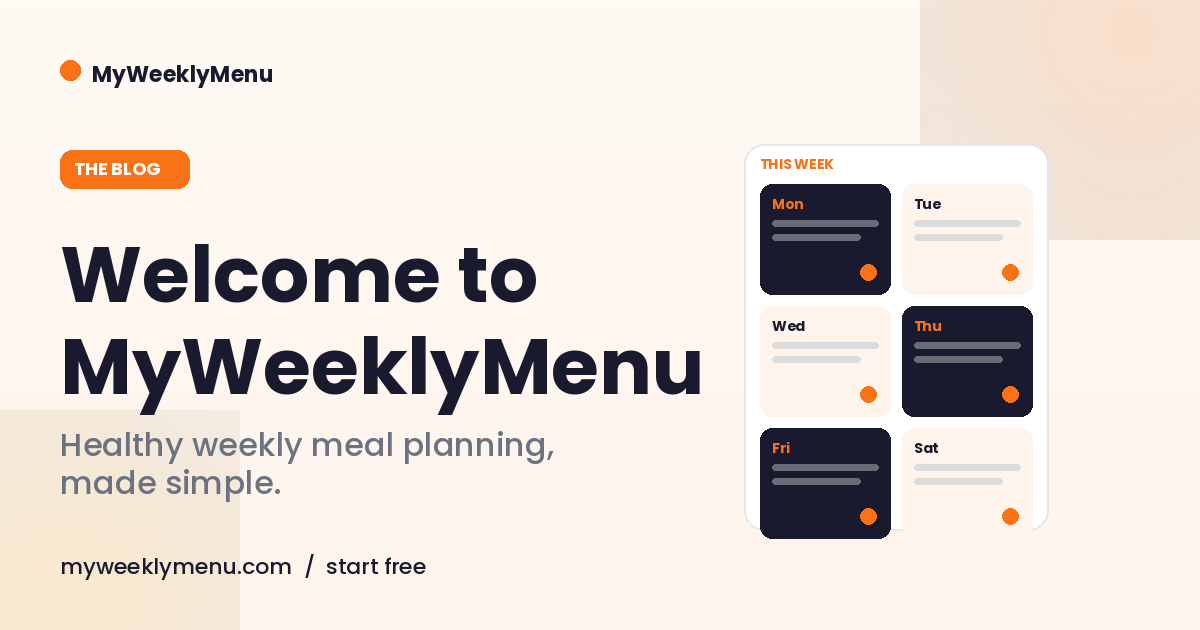
MyWeeklyMenu compresses that whole loop into a single screen. The 7-day grid is the entire app. You drop meals in, the shopping list builds itself, and Sunday-prep takes the panic out of Tuesday.
What MyWeeklyMenu does
The 7-day planner grid. Drag, click, or auto-fill a full week. Slots for breakfast, lunch, dinner, and snacks if you want them. Skip days you are eating out. Plan ahead two weeks. The grid is the source of truth.
200+ chef-quality recipes. Italian, Mexican, Tex-Mex, Mediterranean, comfort-food upgrades. Most weeknight recipes finish in 40–60 minutes. Each one shows calories, macros, prep time, and difficulty up front so you can plan around your schedule.
Smart auto-fill. Tell the app you want four keto-friendly dinners and three flex meals — it builds the week. Or use Random to surprise yourself with one slot at a time. Or Templates if you have a go-to week pattern (we all have one).
Macro tracking that respects your goals. Set a calorie target, a protein floor, or a keto net-carb cap. The Weekly Nutrition dashboard shows the per-day breakdown, the running average, and where you are off-target before the week starts.
Household scaling. Most apps assume you are cooking for one or two. MyWeeklyMenu scales the shopping list to however many people you are feeding. The recipe steps stay the same; the quantities adjust.
The shopping list, finally. Auto-generated from the meals on your plan, grouped by category (Proteins, Produce, Dairy, Pantry, Spices), with pantry staples flagged so you do not buy the third bottle of olive oil. Print, copy, or share to a partner.
Share what you cook. Send a friend a single recipe, a single day, or a whole week with a public link. They do not need an account. Great for handing off cooking to a partner mid-week or showing a friend what you did with the brisket.
Who it is for
We built MyWeeklyMenu around a real customer profile, not a marketing persona:
- You cook 4–6 dinners a week at home.
- You have 40–60 minutes most weeknights.
- You care about real food and bold flavor.
- You have a goal — fat loss, more energy, lower inflammation, building muscle.
- You are tired of staring at the fridge.
Keto-friendly, high-protein, anti-inflammatory, comfort-food-curious — all of those are first-class profiles in the app, not afterthought filters.
Free forever, or upgrade for the full toolkit
MyWeeklyMenu is free forever for the core 7-day planner. You can plan, swap, and shop without paying a cent.
Pro ($7.99/month or $86.29/year) unlocks:
- Custom meal creator with a USDA macro calculator
- Unlimited week templates and day templates
- Full Weekly Nutrition dashboard with per-day breakdown and printable view
- Smart Random across filters
- Household scaling on the shopping list
- Goals + Profile engine for fat-loss / TDEE targeting
New accounts get a 7-day Pro trial, no credit card required. See the pricing page for the full side-by-side comparison.
How to start tonight
- Create a free account (takes about 30 seconds).
- Open the planner. Click any slot, pick a meal, repeat. Or hit Auto-fill and let the app build the week.
- Generate the shopping list. It groups everything by category. Print it, screenshot it, or share it.
- Cook the first meal tonight. Most weeknight recipes finish in 40–60 minutes.
That is it. The only friction is the first ten minutes you spend filling the grid. After that, you have a week of dinners on rails.
Frequently asked
Is MyWeeklyMenu actually free?
Yes. The 7-day planner, the recipe library, and the basic shopping list are free forever. Pro is optional and unlocks advanced tools — custom meals, household scaling, the full nutrition dashboard, and templates. New accounts get a 7-day Pro trial without a credit card.
What diets does it support?
Keto, high-protein, Mediterranean, anti-inflammatory, family-friendly. Filter the recipe library by diet, by net carbs, by protein floor, or by total cook time. The app does not care which diet you pick — it just helps you stick to it.
Can I use my own recipes?
Yes. Pro users get a custom meal editor with a USDA macro calculator built in. Add a recipe once and it shows up in your planner like any other meal, complete with macros and a printable card.
How long does planning a week actually take?
With Auto-fill, about three minutes. Manually building a custom week, about ten to fifteen. Once you have a few week templates saved, planning future weeks is one click.
Cook your first week
The gap between "I want to eat better" and "I am eating better this week" is one good plan. MyWeeklyMenu is the plan.
Bottom line. A healthy meal planner only works if you actually use it. MyWeeklyMenu is a healthy meal planner designed to fit Tuesday night, not just Sunday-prep idealism.